
A First Look at Zorin OS 18: Smarter, Sleeker, and Ready for You

Zorin OS has just released the Beta version of Zorin OS 18, and it’s shaping up to be one of their most exciting updates yet. Whether you’re brand new to Linux or a long-time user, this release is packed with improvements that make your computer more powerful, user-friendly, and enjoyable to use.

Here’s a look at what’s new:

A Fresh, Modern Design

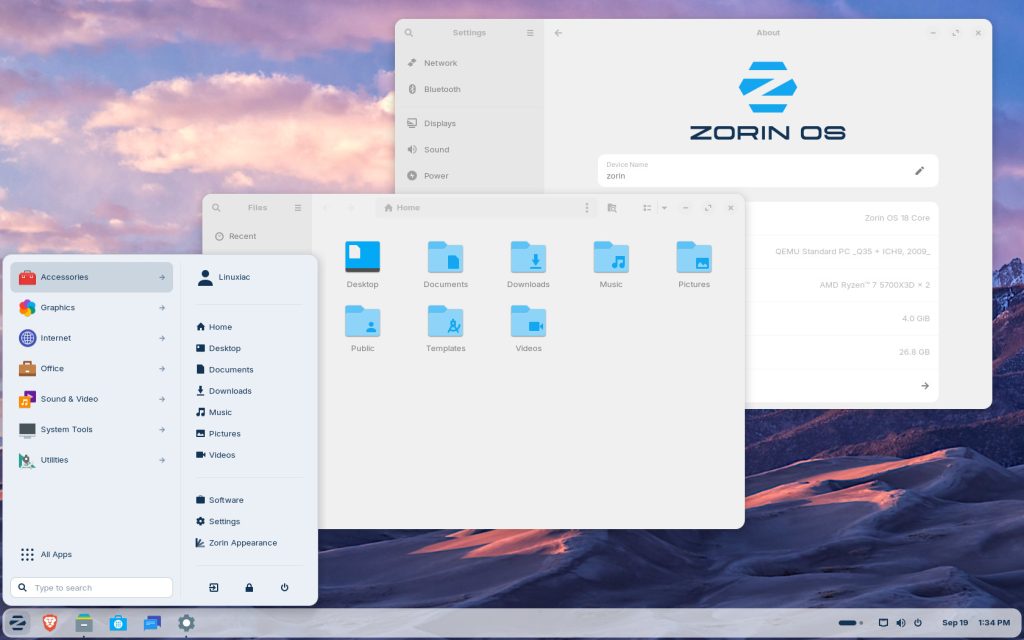
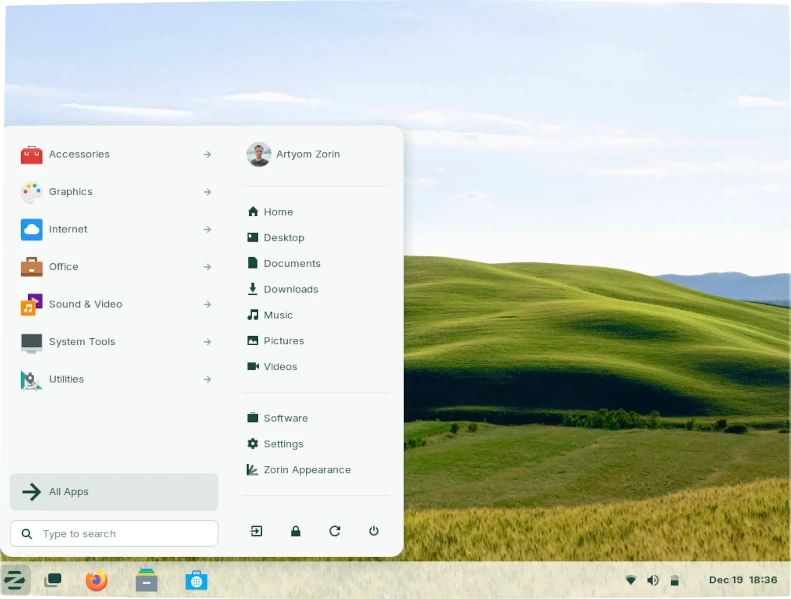
The first thing you’ll notice in Zorin OS 18 is its beautifully refreshed desktop. The theme is sleeker, with rounded panels, lighter colour palettes, and an updated style that feels modern without losing the Zorin look people already love.

  • Files, Settings, Calendar, and more all come with cleaner layouts.
  • A new Camera app replaces Cheese with a simple, modern interface.
  • The Evolution Mail app now has a polished look that fits right in with the system.

Small design tweaks add up, creating a desktop that feels both professional and inspiring.

Smarter Multitasking with Window Tiling

One of the biggest additions in Zorin OS 18 is its new window tiling manager. Forget complicated shortcuts—just drag a window to the top of your screen, and you’ll see layout options pop up.

  • Create your own tiling layouts.
  • Use optional auto tiling and smart suggestions.
  • Customise everything to fit the way you work.

Whether you’re juggling spreadsheets, emails, or coding windows, tiling makes multitasking far easier.

Better App Integration

Zorin OS 18 makes it seamless to use both native Linux apps and web apps side by side.

  • The new Web Apps tool lets you turn any site (like Microsoft Office, Google Docs, or Adobe Photoshop online) into a desktop app.
  • OneDrive support is built-in, so files stored in the cloud are right there in your Files app.
  • A smarter app recommendation system now covers 170+ popular Windows apps, pointing you to the best Linux or web alternatives when you try to install Windows software.

This makes the move from Windows smoother than ever.

Customisation and Performance

Zorin OS 18 also adds new theme colours (Yellow and Brown), three new desktop layouts coming to Zorin OS Pro, and system-wide improvements like:

  • Faster performance and lower audio latency (thanks to PipeWire).
  • Expanded hardware support and updated drivers.
  • A new Search Everywhere button in Files.
  • Remote Desktop login via RDP.
  • Windows now open centred by default for a more natural layout.
  • Long-Term Support (LTS) until April 2029.

Testing the Beta

You can try out the Zorin OS 18 Core Beta today.

👉 Download Zorin OS 18 Core Beta 

A few things to keep in mind:

  • This is pre-release software, so it’s best to test on a spare machine, not your main computer.
  • A couple of things are still being finalised, like the full set of default wallpapers and the welcome tour video, which still shows Zorin OS 17 for now.
  • Upgrades from Zorin OS 17 → 18 will only be available once the stable release is out in the coming weeks.

If you notice anything while testing, you can send feedback
straight from the system using the Send Feedback shortcut in the taskbar
or Zorin Menu.

Why This Matters

At DcData, we’re excited about Zorin OS 18 because it continues to bridge the gap for people moving from Windows to Linux. It’s user-friendly enough for beginners, powerful enough for professionals, and stable enough for businesses—especially with LTS support until 2029.

This release shows how far Linux desktops have come: not just functional, but beautiful, intuitive, and ready for everyday use. Contact us for any queries.

How We Use Cookies

We use cookies to give you a better experience, improve performance and analyze traffic. By using our website you agree to our use of cookies. Privacy Policy